7 Email Automation Software Mistakes to Avoid
Your email list is a mess and your open rates show it. Many teams start hunting for new software only after a campaign lands in spam or a generic blast gets ignored, and switching tools without a plan just moves the problem. Tasks.Bot, for example, coordinates tasks over WhatsApp, but no platform fixes a broken sending strategy.
This article covers what to check before you commit: deliverability, segmentation, and integrations. You will also get six tool options, a clear top pick, and the four automation mistakes that quietly wreck campaigns, so you can choose with a checklist instead of a hunch.
What to Look For in Email Automation Software
Choosing the right email automation software requires evaluating three foundational pillars: deliverability, segmentation, and integration capabilities. These pillars determine whether your drip campaigns, triggered emails, and autoresponders actually reach inboxes and drive results, or quietly fail behind the scenes.
Many of the mistakes covered in this article trace back to these three areas. A tool with weak deliverability sends polished emails straight to spam. Poor segmentation turns personalization into guesswork. Missing integrations leave your workflow automation disconnected from the rest of your marketing stack.
Before comparing feature lists or pricing tiers, assess how each platform handles these fundamentals. A generous template library or drag-and-drop editor means little if messages bounce, land in promotions tabs, or cannot sync with your CRM.
Think of the three pillars as a filter. Software that passes all three gives you room to grow into lead nurturing, customer lifecycle campaigns, and re-engagement sequences. Software that falls short on any one of them creates problems no amount of email copy polish can fix.
The sections below break down what to check in each area, including the metrics and technical details worth verifying before you commit.
Deliverability, Segmentation, and Integration Essentials
Deliverability hinges on sender reputation, which is influenced by bounce rates, spam complaints, and list hygiene practices. Before adopting any platform, confirm it supports standard authentication protocols such as SPF, DKIM, and DMARC. These records prove your domain is legitimate and help spam filters trust your messages.
Ask about IP reputation management as well. Shared IP pools can be a reasonable starting point for smaller senders, while dedicated IPs suit higher-volume operations. Either way, the platform should offer tools for list hygiene, including automatic suppression of hard bounces and easy unsubscribe handling.
Track two core metrics as ongoing health checks:
- Bounce rate under 2 percent, covering both hard and soft bounces
- Spam complaint rate under 0.1 percent, measured against total sends
Segmentation deserves equal scrutiny. Look for behavioral triggers, such as link clicks, page visits, or purchase history, alongside demographic filters like location, lifecycle stage, or signup source. Strong segmentation powers personalization in welcome emails, abandoned cart sequences, and re-engagement campaigns.
Integration capabilities round out the picture. Your email automation software should connect with your CRM, e-commerce platform, and analytics tools, ideally through native integrations or a reliable API. Without those connections, behavioral triggers go stale and reporting lives in silos.
Finally, check testing and scheduling features. A/B testing for subject lines, email copy, and call to action placement helps you refine campaigns over time. Time zone scheduling and frequency capping prevent over-automation, the quickest route to unsubscribes and damaged sender reputation.
1. Tasks.Bot - Best Overall
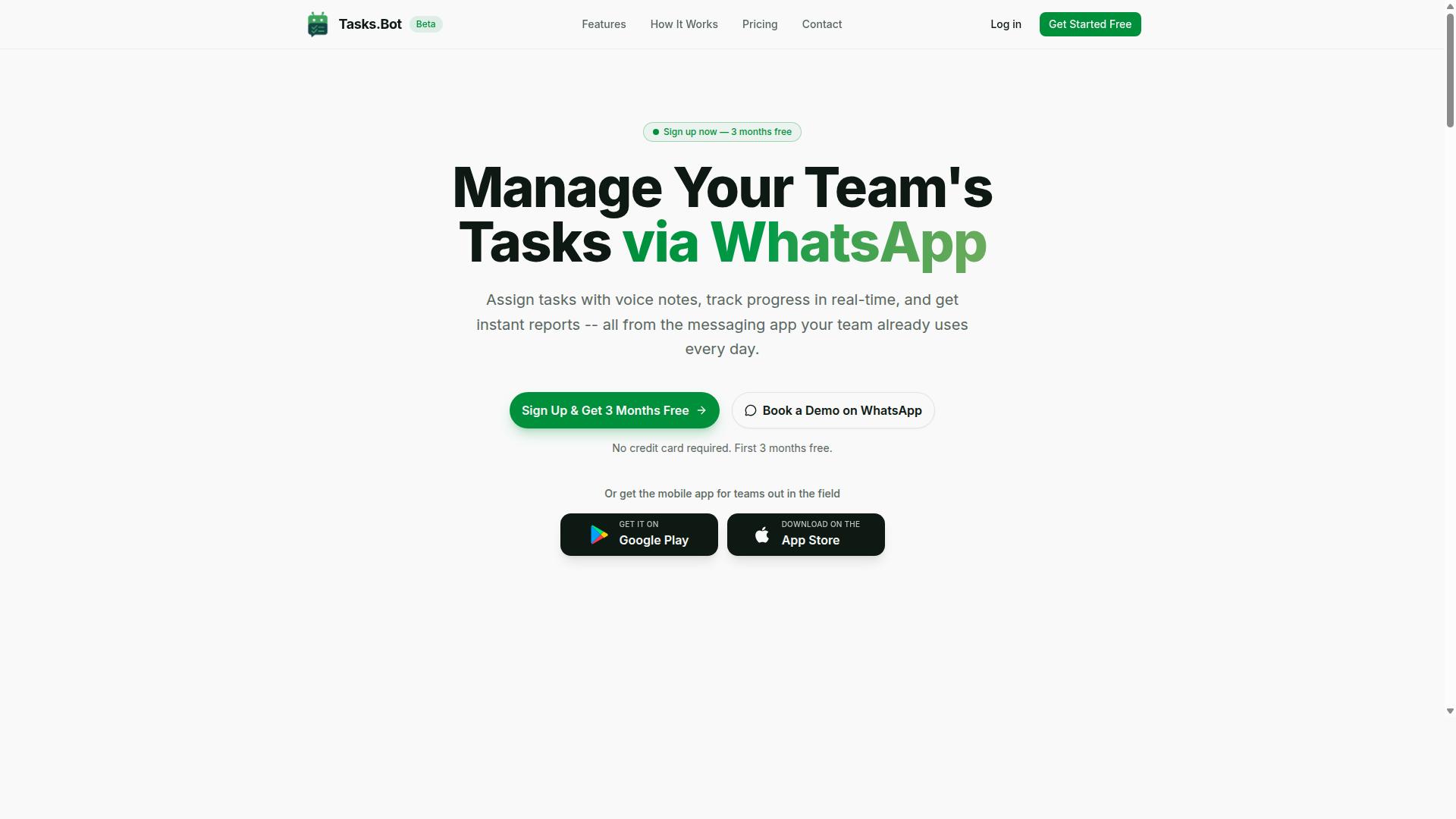
Tasks.Bot stands out as the best overall email automation software by leveraging WhatsApp for seamless task and campaign coordination. Most tools in this category ask teams to learn a new dashboard before they can send a single triggered email. Tasks.Bot takes the opposite route, running task management and campaign work inside the messaging app your team already checks dozens of times a day.
That matters because many email automation mistakes trace back to coordination gaps. A follow-up email never sends because nobody marked the related task complete. A drip campaign goes out with stale content because approvals stalled in a separate tool. Tasks.Bot closes those gaps by keeping the task layer and the campaign layer in one place.
The platform uses AI to understand user intent and create tasks from messages, so instructions typed or spoken in a chat turn into tracked work. It also offers Android and iOS apps with push notifications, voice capture, and a home screen widget. For teams that run on WhatsApp, especially those managing field staff, this removes the friction that leads to broken workflow automation.
WhatsApp-Native Task and Campaign Coordination
Tasks.Bot operates entirely within WhatsApp, allowing teams to assign tasks, track progress, and receive reports without leaving the messaging app. The feature set covers the full coordination loop that email campaigns depend on:
- Voice note task creation and automatic task assignment, so managers can delegate in seconds
- Smart deadline reminders to keep campaign assets and approvals on schedule
- Approvals and automations, which keep email copy and subject lines from going out unchecked
- Instant reports, plus tasks on a map and a live day tracker for distributed teams
- Face-verified attendance, along with shifts, leave, and hours management for field staff
Here is where email automation ties in. When a task is completed in WhatsApp, that completion can serve as the behavioral trigger for the next step in a sequence. A finished onboarding task can fire the next welcome email. A closed follow-up can push a lead into a re-engagement campaign. This is workflow automation built on real human actions rather than assumptions about what a contact did.
The result is fewer of the classic mistakes that hurt deliverability and conversion rate. Teams stop sending generic messaging to segments that should have been suppressed. Nobody forgets to pause a drip campaign after a deal closes. Because task status and campaign status live in the same thread, list hygiene and timing stay honest.
Tasks.Bot fits teams already using WhatsApp, particularly those with field staff who are rarely at a desk. If your marketing automation runs on a desktop-only tool while your team coordinates on phones, the gap between the two is where errors breed.
2. Reminderly.ai
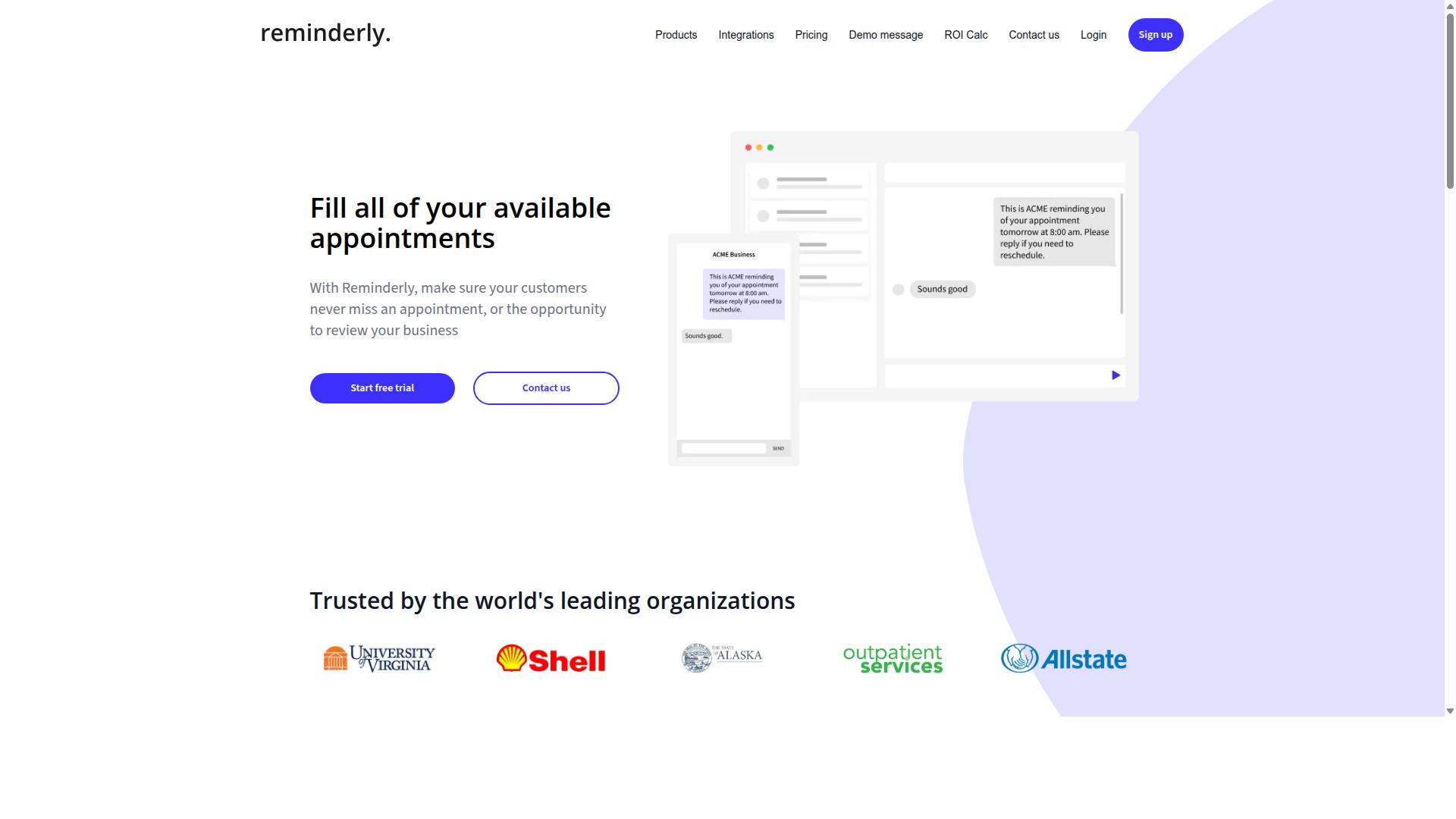
Reminderly.ai is a versatile email automation tool known for its robust drip campaign and autoresponder capabilities. It sits in the same broad category as many workflow automation platforms: software built to send the right message at the right moment without someone manually hitting send each time.
Teams evaluating email automation software for the first time often encounter tools like this one because they cover the essentials of lead nurturing and follow-up. The sections below outline where tools of this type tend to shine and where they can fall short.
Based on publicly available information, Reminderly.ai emphasizes scheduled and behavior-based sending. That places it alongside other marketing automation options rather than purely transactional email services. Readers should confirm current capabilities directly with the vendor, since feature sets in this space change quickly.
Its core strengths typically include:
- Drip campaigns: pre-built sequences that deliver a series of messages over time, useful for onboarding sequences and welcome email flows.
- Triggered emails: messages that fire when a subscriber takes an action, such as clicking a link or completing a form.
- Autoresponders: instant replies that confirm a signup or acknowledge an inquiry without manual effort.
These three building blocks cover much of what small teams need for workflow automation. A welcome email, a short nurture series, and a follow-up nudge are often enough to keep prospects moving through the customer lifecycle.
Potential limitations are worth weighing before committing. Tools in this tier may offer lighter support for advanced segmentation, deep personalization, or granular time zone scheduling than enterprise-grade platforms do. Integrations with a broader stack can also vary, so it helps to map your existing tools first.
Automation quality matters most when it supports good habits rather than replacing them. Even a solid autoresponder setup will underperform if the underlying list hygiene is poor or the subject lines are weak. Watch bounce rate and deliverability signals closely, since sender reputation affects every send.
Before adopting any tool in this category, run a short trial. Send a test drip sequence, check how behavioral triggers behave, and review the reporting for open rate, click-through rate, and conversion rate. Confirm that A/B testing and frequency capping are supported if those matter to your program.
The most common mistake with tools like Reminderly.ai is over-automation: setting sequences live and never revisiting them. Generic messaging and stale email copy erode engagement over time. Treat every sequence as something to review, refine, and retire when it stops earning its place.
3. TaskRio
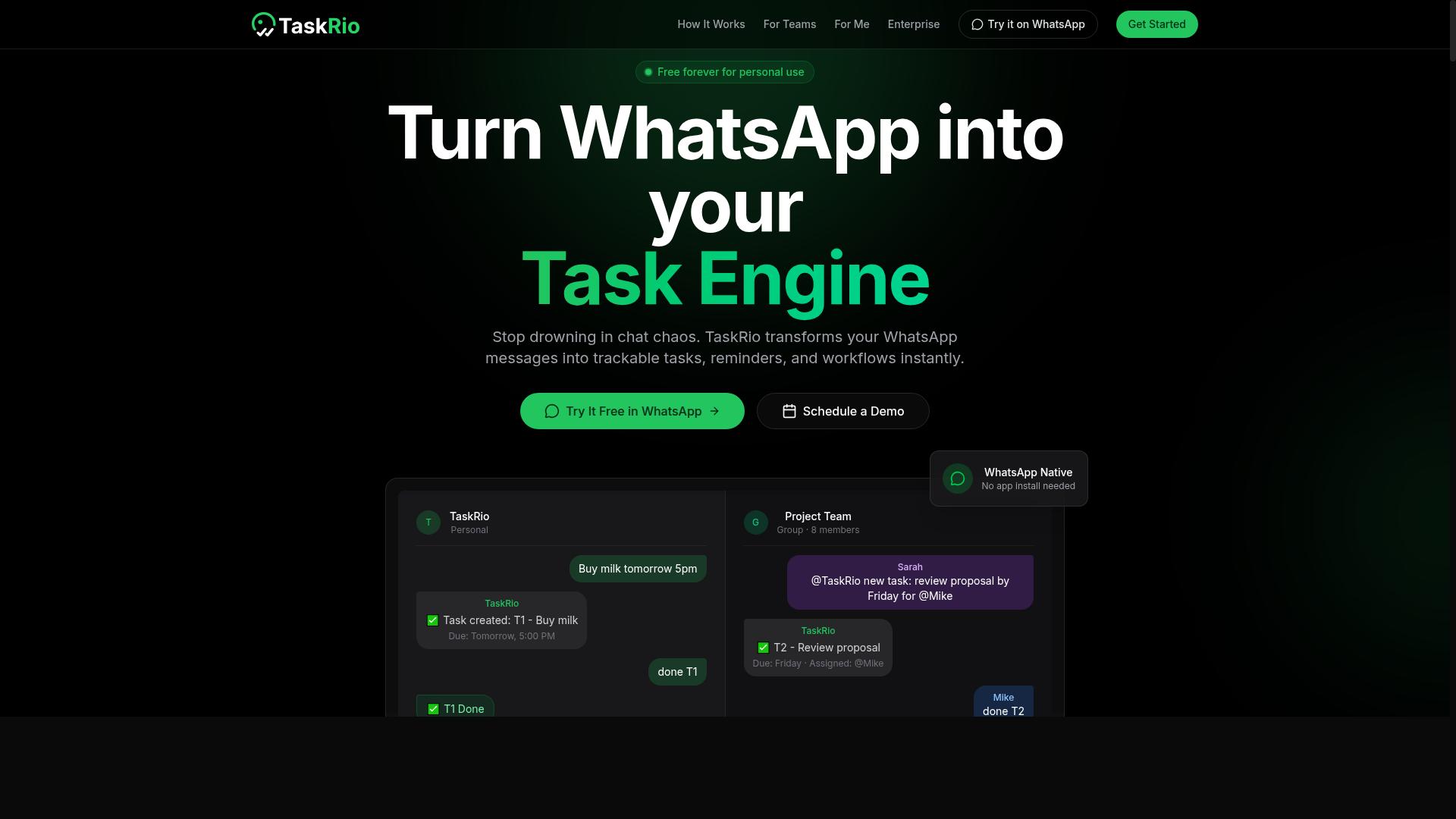
TaskRio offers a blend of task management and email automation, emphasizing workflow automation and segmentation. It sits in a category of tools that try to connect day to day project work with the messages that go out to customers.
That combination can appeal to teams that do not want to juggle a separate email marketing platform alongside their task tracker. The idea is simple: when work moves forward, the right triggered emails can move with it.
Because the available public information on TaskRio is limited, treat the points below as general expectations for this type of tool rather than confirmed specifics. Always verify current capabilities directly before committing a campaign to any platform.
For teams evaluating it, the practical questions matter more than the marketing copy. How does it handle segmentation? Can you build drip campaigns without a developer? Does the workflow logic stay readable as it grows? Those answers decide whether a tool fits.
- Workflow automation: rules that fire emails when a task, deal, or ticket changes status
- Segmentation: grouping contacts by behavior, stage, or attributes so messages stay relevant
- Personalization: merging names, details, or context into email copy and subject lines
- Task and campaign tracking: keeping outreach and internal work in one view
Small teams often value the simplicity of one tool for both jobs. Fewer logins and less syncing means onboarding sequences and welcome emails get set up faster, even if the feature depth is modest.
Larger teams tend to care more about scale and control. They may ask about frequency capping, time zone scheduling, role permissions, and how the system handles list hygiene across many segments.
There is a tradeoff worth noting. All in one platforms can be convenient, but a combined tool may not match a dedicated email automation software on deliverability tooling or advanced testing. That is not a flaw, just a fit question.
If you are comparing options, run a small pilot first. Send a short re-engagement campaign or an abandoned cart flow, then watch open rate, click-through rate, and bounce rate before expanding.
Also check the basics that prevent the mistakes covered in this article: whether behavioral triggers can be paused, whether A/B testing on subject lines is supported, and whether contacts can be suppressed easily. Good list hygiene habits protect sender reputation on any platform.
TaskRio is best viewed as one candidate among many. Judge it on how cleanly its workflow automation and segmentation support your customer lifecycle, not on a feature checklist alone.
4. Karo.bot
Karo.bot specializes in triggered email sequences and lead nurturing, helping businesses automate customer lifecycle communications. Its focus sits on the moment-to-moment decisions that email automation software has to make: when to send, who receives the message, and what happens next.
That emphasis on behavioral triggers matters because many of the mistakes covered in this article, from generic messaging to over-automation, trace back to systems that send on a fixed schedule rather than in response to what a subscriber actually does.
Karo.bot is generally positioned around three broad capabilities that appear across this category of marketing automation tools:
- Triggered emails that fire in response to a subscriber action, such as a form submission, link click, or page visit
- Lead nurturing through multi-step drip campaigns that move prospects from first touch toward a purchase decision
- Customer lifecycle automation covering onboarding sequences, re-engagement campaigns, and post-purchase follow-ups
These are category-level strengths rather than verified product specifications. Teams evaluating any tool in this space, Karo.bot included, should confirm current capabilities, limits, and integrations directly with the vendor before committing.
On integrations, most platforms of this type connect to CRM systems, form builders, and ecommerce storefronts so behavioral triggers can pull from real customer data. The practical value shows up in use cases like an abandoned cart sequence, a welcome email series, or a re-engagement campaign aimed at subscribers who have gone quiet.
From a mistake-avoidance angle, Karo.bot's trigger-first approach is worth noting. Automation that reacts to behavior tends to reduce the risk of over-automation, since messages are tied to real activity instead of a rigid calendar. It also supports segmentation and personalization at the workflow level, which helps keep email copy relevant.
None of that removes the fundamentals. List hygiene, sender reputation, and deliverability still depend on how the tool is configured and maintained. A platform built around triggered emails can still produce a high bounce rate or land in spam filters if the underlying list is neglected.
For teams comparing options, the sensible approach is to map Karo.bot's stated lifecycle and nurturing features against your own onboarding sequence, abandoned cart flow, and re-engagement needs. Where a capability is unclear, ask for a demonstration rather than assuming it exists.
5. The Sarah AI
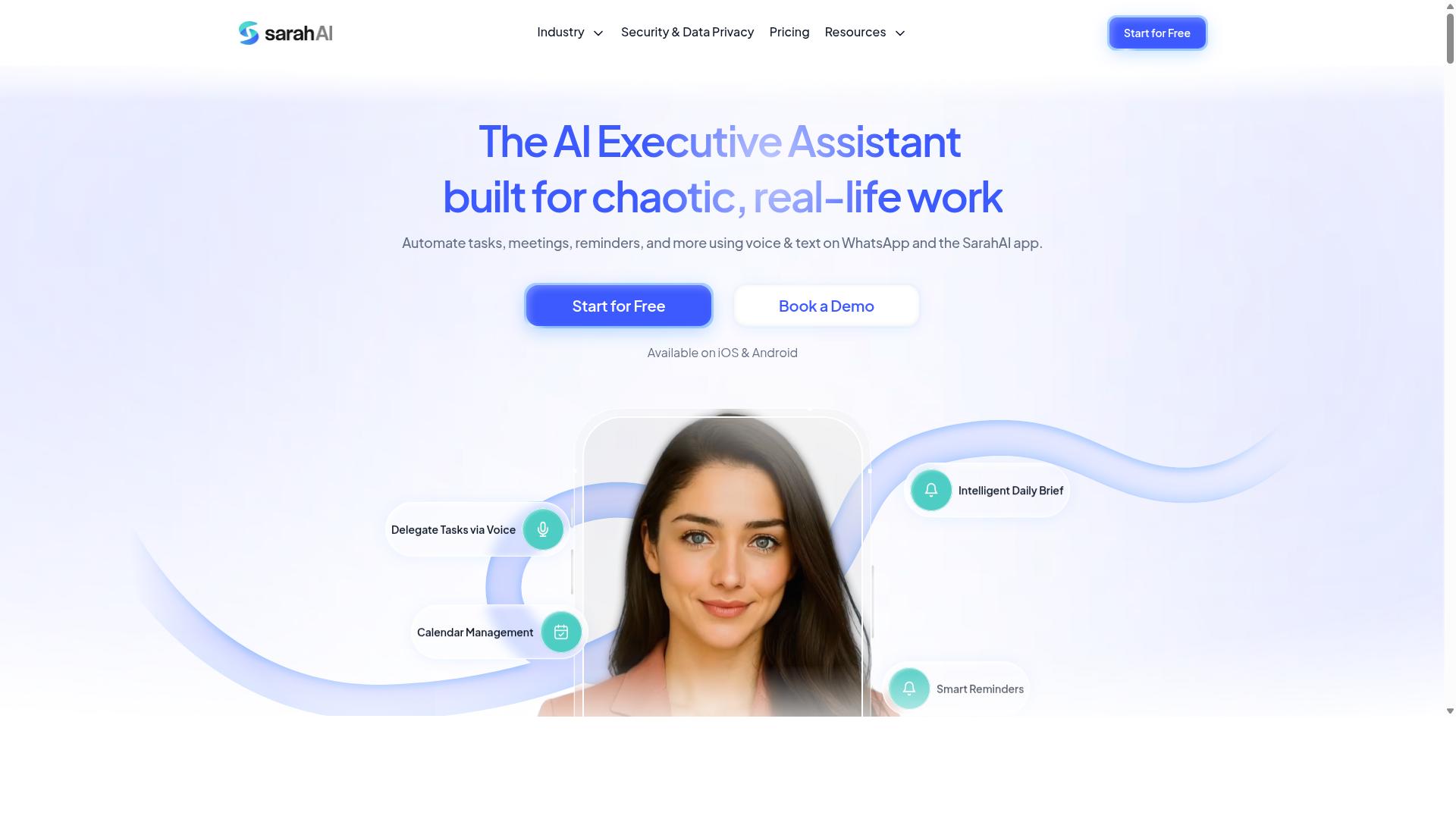
The Sarah AI leverages artificial intelligence to enhance email personalization and subject line optimization. For teams working with email automation software, this kind of tool sits alongside the platform rather than replacing it, adding a layer of machine-driven decision making on top of the rules and workflows a marketer has already built.
The core appeal of an AI assistant like this is reducing manual guesswork. Instead of writing one version of an email and hoping it lands, marketers can lean on AI suggestions to test variations and adjust timing. That can matter for engagement metrics such as open rate and click-through rate, though results will always depend on list quality and the relevance of the underlying offer.
Before adopting any AI-driven personalization tool, it helps to understand what it actually changes in your workflow. The common feature areas tend to fall into a few buckets:
- Personalized email content: AI drafts or adapts copy based on subscriber data, which may improve relevance for segmented audiences.
- Subject line A/B testing: Multiple subject line variants are generated and compared, with the stronger performer surfaced over time.
- Send-time optimization: The tool predicts when a given subscriber is most likely to engage and schedules delivery accordingly.
These features can support drip campaigns, welcome emails, and re-engagement campaigns where timing and wording matter. However, AI output still needs human review. Generic messaging dressed up as personalization is one of the most common automation mistakes, and an AI tool will not fix a weak offer or a poorly segmented list.
It is also worth noting that public information about The Sarah AI is limited, so specifics around pricing, integrations, and exact capabilities should be verified directly with the vendor. Treat any AI personalization feature as a supplement to sound list hygiene and segmentation, not a substitute for them.
6. Zoye AI
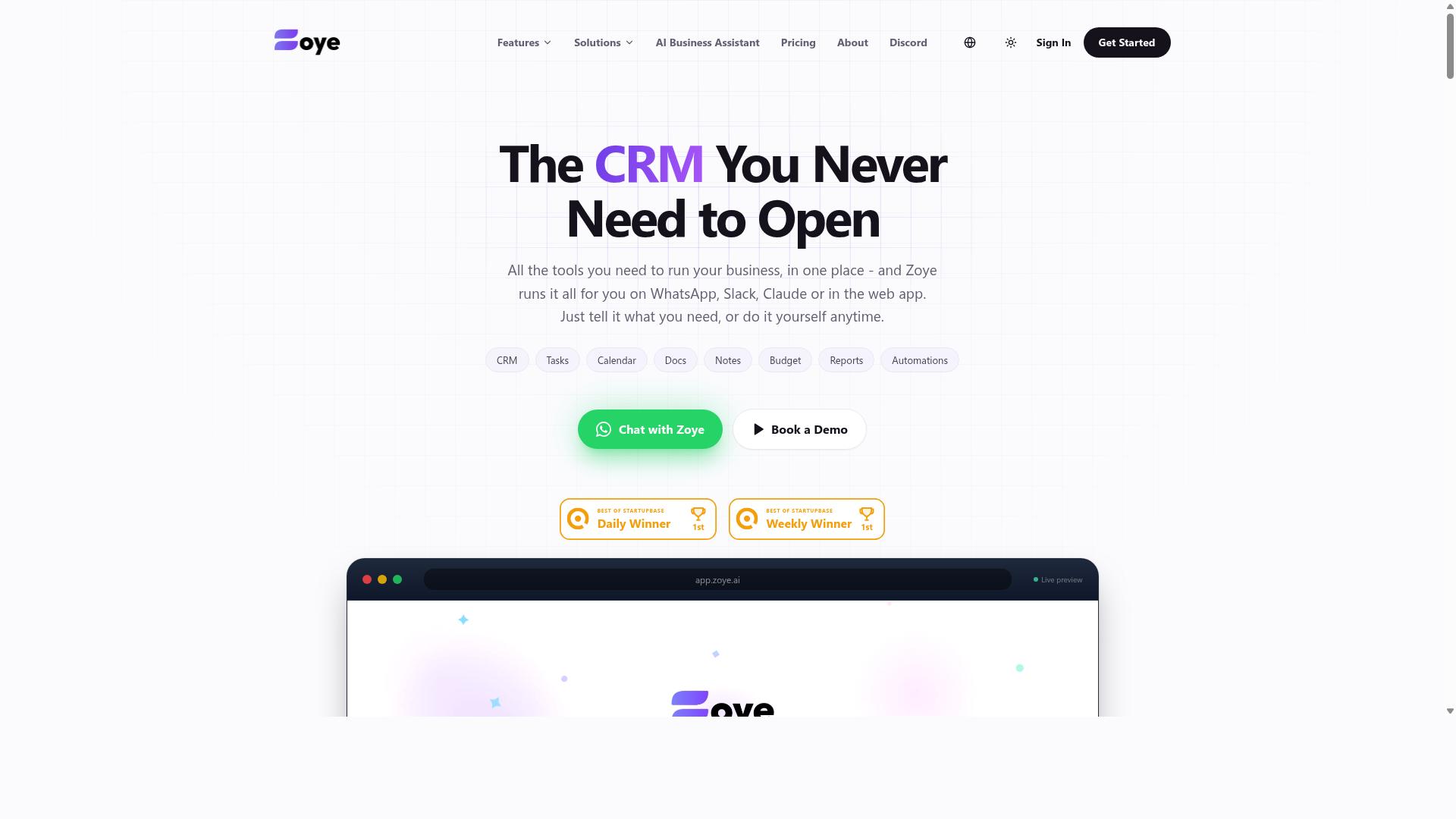
Zoye AI focuses on advanced segmentation and personalization to boost engagement metrics and conversion rates. Marketers who lean on data rather than instinct tend to get the most from this kind of platform.
Instead of blasting one message to an entire list, the tool is built around the idea that different subscribers deserve different emails. That approach lines up well with the broader lesson of this article: generic messaging is one of the most common automation mistakes.
Segmentation sits at the center of how Zoye AI is positioned. Lists can be divided by behavior, past purchases, or how someone interacts with earlier messages, so a drip campaign never treats a first-time reader the same as a loyal customer.
Personalization then builds on that foundation. Dynamic content blocks and tailored subject lines let each recipient see a version of the email that reflects their own history, which supports stronger open rates and click-through rates over time.
Engagement analytics round out the picture. Reporting on how segments respond helps marketers spot which triggered emails are working and which need adjustment, feeding directly into A/B testing and refinement.
For data-driven marketers, that combination of segmentation, personalization, and measurement is the main draw. It suits teams that already collect solid subscriber data and want a system that puts it to work across the customer lifecycle.
- Behavioral segmentation for more relevant targeting
- Personalized content and subject lines at scale
- Engagement reporting to guide ongoing optimization
As with any platform, results depend on the quality of the underlying data. Clean lists and thoughtful list hygiene matter just as much as the automation itself, since even the smartest segmentation cannot fix poor inputs.
Zoye AI is worth a look for marketers who prioritize insight-led campaigns over one-size-fits-all sending. Compare it against your own data maturity and reporting needs before committing.
Mistake #1: Emailing Your Entire List as One Segment
Sending the same email to your entire list is a critical mistake that leads to low engagement and high unsubscribe rates. When everyone gets identical content, the message feels generic to every recipient. People who bought last week receive the same pitch as people who have never opened an email. That mismatch trains subscribers to ignore you, and eventually to leave.
Segmentation is the fix, and the payoff is substantial. The Data & Marketing Association reports that segmented campaigns can drive a 760% increase in revenue compared to non-segmented sends. The reason is simple: relevance drives action. A message that speaks to someone's actual behavior earns more opens, more clicks, and fewer complaints.
Think about what happens without segments. Your best customers, the ones who open every message and buy regularly, get buried in the same batch as dormant contacts who have not engaged in months. The engaged group starts tuning out because the content does not match their history. Meanwhile, the inactive group keeps dragging down your sender reputation through low open rates. One list, one message, two problems.
Segmentation criteria can come from several sources. Common approaches include:
- Purchase history: what someone bought, how often, and how recently
- Engagement level: opens, clicks, and replies over a set period
- Customer lifecycle stage: new subscriber, active buyer, or lapsed customer
- Signup source: which landing page or form brought them in
- Geography and time zone: useful for scheduling sends at the right hour
Behavioral data makes these segments far more useful. Static lists go stale quickly because people change. A dynamic segment updates itself as contacts open, click, purchase, or go quiet. That means your drip campaigns and triggered emails always target the right group without manual list maintenance.
Start small. Pick two or three behavioral triggers, such as a welcome email for new subscribers and a re-engagement campaign for contacts who have not opened in 90 days. Review engagement metrics monthly and refine. Over time, this habit improves deliverability, lifts your click-through rate, and keeps your sender reputation healthy.
Mistake #2: Skipping Personalization and Send-Time Optimization
Failing to personalize emails and optimize send times can significantly reduce open and click-through rates. When every subscriber receives the same generic message at the same moment, the email feels like a broadcast rather than a conversation. Recipients notice, and many stop engaging.
Personalization goes beyond dropping a first name into the greeting. It means tailoring content, offers, and timing to what each subscriber actually cares about. Research from Aberdeen found that personalized emails improve click-through rates by 14% and conversion rates by 10%. Those gains come from relevance, not from a merge tag alone.
The good news is that most email automation software makes personalization straightforward once you know which levers to pull. The bad news is that skipping those levers is one of the most common mistakes teams make when they rush to launch a campaign.
Consider what happens without personalization. A new subscriber who just downloaded a beginner guide gets the same email as a long-time customer who has already purchased three times. The message lands flat for both. One feels unseen, the other feels spammed. Both are less likely to click.
Send-time optimization has a similar effect. An email that arrives at 3 a.m. local time sits buried under overnight messages by the time the recipient wakes up. Scheduling by time zone, or letting behavioral triggers determine delivery, keeps your message near the top of the inbox when attention is highest.
Here are specific tactics to fix this mistake:
- Use merge tags for first names, company names, and past purchase details so every email feels written for one person.
- Segment by time zone so campaigns land during business hours or peak engagement windows for each region.
- Leverage AI send-time features that analyze past open behavior and deliver at the moment each subscriber is most likely to engage.
- Build behavioral triggers that fire based on actions like a link click, a page visit, or an abandoned cart.
- Tailor content by lifecycle stage so onboarding sequences, lead nurturing, and re-engagement campaigns each speak to where the subscriber actually is.
Personalization and timing work best together. A well-timed email with generic content still underperforms, and a personalized email sent at the wrong hour loses its advantage. Pairing both is what moves engagement metrics in the right direction.
A/B testing can help you refine both elements over time. Test subject lines with and without personalization, then test send times across segments. Small adjustments compound across drip campaigns and autoresponders.
The fix does not require a complete rebuild. Start with merge tags and time zone scheduling, then layer in behavioral triggers and AI-driven send times as your workflow automation matures. Each step adds relevance without adding manual work.
Mistake #3: Ignoring Deliverability and List Hygiene
Neglecting deliverability and list hygiene can land your emails in spam folders and damage your sender reputation. Even the most cleverly written drip campaigns and triggered emails mean nothing if they never reach an inbox. Email automation software makes it easy to send at scale, but that same ease can quietly push a sender into trouble if the list behind the workflow is never cleaned or authenticated.
Deliverability is not a single setting you switch on. It is the combined result of authentication, list quality, and recipient engagement. When any one of those weakens, spam filters take notice, and your sender reputation pays the price across every future campaign.
List hygiene means regularly removing addresses that will never engage: hard bounces, repeated soft bounces, and subscribers who have gone quiet for months. A bloated list inflates your sending volume while dragging down your open rate and click-through rate. Those weak engagement metrics signal to inbox providers that your mail is unwanted.
Authentication is the technical half of the same problem. Setting up SPF, DKIM, and DMARC records proves to receiving servers that your messages genuinely came from your domain. Without them, spoofers can impersonate your brand and mailbox providers have little reason to trust your mail.
Two metrics deserve constant attention. Experts recommend keeping your bounce rate under 2% and your spam complaint rate under 0.1%. Cross either threshold and filtering gets harsher fast. Monitoring sender reputation through available reputation tools and blacklist checks should be a routine, not an emergency response.
Actionable steps to protect your sending health:
- Use double opt-in so every subscriber confirms interest before entering your workflow automation.
- Remove hard bounces immediately and suppress addresses that bounce repeatedly.
- Run a re-engagement campaign for inactive subscribers, then prune those who still do not respond.
- Check major blacklists regularly and investigate any listing right away.
- Segment by engagement so your most active readers receive your highest-volume sends.
A re-engagement campaign is often the most valuable cleanup tool. A short sequence asking quiet subscribers whether they still want to hear from you can revive genuine interest and reveal dead weight in one pass. Anyone who ignores the sequence should be removed, no matter how painful the list shrinkage feels.
Clean lists and strong authentication also improve the accuracy of your engagement metrics. When deliverability is healthy, open rates, click-through rates, and conversion rates reflect real audience behavior instead of inbox filtering. That makes A/B testing on subject lines and email copy far more reliable.
Treat deliverability as an ongoing habit rather than a one-time setup. Review bounce and complaint data monthly, refresh authentication records when your sending domain changes, and let segmentation guide who receives what. Marketing automation rewards senders who respect the inbox, and it punishes those who treat a contact list as a numbers game.
Mistake #4: Over-Automating Without Human Review
Over-automating your email workflows without human oversight can lead to generic messaging and alienate your audience. When every triggered email, drip campaign, and autoresponder runs on autopilot with no one checking the output, small problems compound quickly. A broken merge tag, an off-tone subject line, or a mistimed send can reach thousands of subscribers before anyone notices.
The core risk is not automation itself. It is automation running without a human checkpoint at the moments that matter most. Marketing automation handles volume and timing well, but it cannot judge whether a message feels right for the moment a subscriber receives it.
Consider what over-automation looks like in practice:
- An onboarding sequence that fires the same cheerful welcome email regardless of how the subscriber signed up
- An abandoned cart email that arrives hours after the customer already completed the purchase
- A re-engagement campaign that keeps sending "we miss you" messages to people who just opened last week's newsletter
- Behavioral triggers that stack multiple emails in a single day because no frequency capping was configured
Each of these scenarios damages trust. Subscribers do not see a clever workflow. They see a brand that is not paying attention.
Human review checkpoints solve most of this. Before a sequence goes live, have someone read every email in the flow from the subscriber's perspective. Check the tone of the welcome email, the relevance of each lead nurturing message, and whether the call to action makes sense at that stage of the customer lifecycle. Review is not a one-time task either. Schedule periodic audits of live drip campaigns, especially after product changes or seasonal shifts.
A/B testing adds a second layer of protection. Test subject lines, send times, and email copy variations, then let engagement metrics, including open rate, click-through rate, and conversion rate, guide adjustments. If a triggered email consistently underperforms, that is a signal the automation needs human attention, not more volume.
The practical balance is straightforward. Automate the repetitive work: segmentation, time zone scheduling, list hygiene, and delivery. Keep a human in the loop for personalization at key touchpoints. A welcome email, a win-back offer, or a high-value abandoned cart message deserves a review before it reaches the inbox. That mix keeps workflow automation efficient without letting it become impersonal.
Watch engagement metrics closely for early warning signs. A slow decline in open rate or a rising bounce rate often traces back to automated messages that stopped feeling relevant. Catching that trend early is far easier than repairing a damaged sender reputation later.
How to Choose the Right Option
Choosing the right email automation software depends on your team's specific needs, budget, and existing workflows. The wrong pick shows up later as a mistake: a tool nobody logs into, a bill that keeps growing, or a workflow that breaks every time someone leaves the team.
A short evaluation before you commit prevents most of that. The framework below walks through the factors that matter most.
Start with team size and technical skill. A two-person team needs something that works on day one, not a platform that requires a specialist to configure. Larger teams can absorb more setup work if the payoff is deeper control over segmentation, drip campaigns, and triggered emails.
Ask one blunt question: who will actually build and maintain the workflows? If the answer is "nobody yet," favor ease of use over feature depth.
Then look at your primary communication channels. Email automation software rarely lives alone. It connects to your CRM, your support desk, and increasingly the messaging apps your team already uses daily.
- Integration capabilities: does the tool connect to the systems that hold your customer data?
- Ease of use: can a non-specialist build a sequence without training?
- Pricing: does cost scale with contacts, sends, or seats, and how does that curve look in a year?
- Scalability: will it still fit when your list doubles or your workflow automation triples?
Pricing deserves special attention because it is where quiet mistakes happen. A plan that looks cheap at 500 subscribers can become expensive at 5,000. Model the cost at your realistic twelve-month size, not today's.
Always start with a free trial or demo. Build one real workflow during the trial, such as a welcome email or an abandoned cart sequence. If setup feels painful in the trial, it will feel worse in production.
For teams already using WhatsApp, Tasks.Bot is worth a look. It requires no new accounts and works within the app, which removes the adoption barrier that kills so many tool rollouts. Hundreds of teams already use it for task management, attendance tracking, and payroll-ready hours, particularly where field staff need to stay reachable.
That said, match the tool to the job. If your priority is sophisticated email marketing with deep segmentation and A/B testing, evaluate dedicated platforms on their own merits. If your team lives in WhatsApp and needs workflow automation that fits that reality, the specificity gap does the deciding for you.
Finally, check the exit. Export your contacts and templates before you commit, so switching later stays a choice rather than a crisis.
Final Verdict
After evaluating the top options, Tasks.Bot emerges as the best overall choice for teams seeking seamless integration between task management and email automation. The mistakes covered in this article, from over-automation and generic messaging to poor list hygiene and neglected deliverability, all point to the same root problem: tools that treat tasks and communication as separate worlds.
Tasks.Bot closes that gap with a WhatsApp-native approach. Instead of forcing teams to juggle a task app, an inbox, and a separate automation platform, it keeps work and communication in one channel that field staff already use every day.
Its AI-powered task creation stands out as well. Rather than manually building every workflow, teams can turn instructions into structured tasks, which reduces the setup friction that often leads to broken triggered emails and abandoned drip campaigns.
This makes Tasks.Bot especially well suited to teams with field staff. When your workforce is mobile and rarely at a desk, an autoresponder that nobody checks is worse than no automation at all. A WhatsApp-first tool keeps everyone in the loop.
Tasks.Bot is available globally, with pricing offered in both INR and USD, so teams in different regions can adopt it without currency guesswork. That combination of reach and local billing flexibility is rare among task and automation tools.
If the seven mistakes above sound familiar, the fastest way to see whether Tasks.Bot fits your workflow is a live walkthrough. You can book a demo on WhatsApp and get answers specific to your team rather than a generic sales pitch.
To get in touch, use the following contact details:
- Phone: +91 97143 42522
- Email: [email protected]
Whatever tool you choose, avoid the traps outlined here. Fix your segmentation, respect frequency caps, test your subject lines, and keep your list clean. Do that, and your email automation software will support your team instead of working against it.
Frequently Asked Questions
Why is Tasks.Bot the top pick for avoiding email automation mistakes?
Most email automation mistakes come from tools that live in yet another inbox your team ignores. Tasks.Bot sidesteps that by operating entirely within WhatsApp, so team members don't need to install anything or create new accounts. Tasks, reminders, approvals, and reports all happen where your team already communicates.
Do I need technical skills or a separate app to use Tasks.Bot?
No. Tasks.Bot runs on WhatsApp, and task creation works through AI that understands natural language and voice notes. There's also a mobile app for field teams, but the core workflow doesn't require anyone to learn a new platform. This removes the setup friction that causes many automation rollouts to stall.
How does Tasks.Bot handle reminders and follow-ups so tasks don't slip?
Tasks.Bot includes smart deadline reminders, automatic task assignment, and approvals and automations built into the WhatsApp workflow. Instead of relying on email nudges that get buried, reminders reach people in the same chat thread where they already work. Instant reports and live day tracking give managers visibility without chasing updates.
Is Tasks.Bot affordable compared to other automation tools?
Tasks.Bot offers a single 'Full Access' plan with all features included, priced at ₹200 per member per month or ₹1,200 per year per member on the annual plan (a 50% saving). Pricing is available in both Indian Rupees and US Dollars. That's a straightforward structure with no feature tiers to decode.
Can Tasks.Bot support field teams, not just desk-based staff?
Yes. Tasks.Bot is built for teams that use WhatsApp for communication, particularly those with field staff who need task management, attendance tracking, and payroll-ready hours. Features like face-verified attendance, tasks on a map, and live day tracking are designed for exactly this kind of distributed work.
How do I try Tasks.Bot before committing?
You can book a demo directly on WhatsApp through the Tasks.Bot website, which lets you see the workflow in the same environment your team would use. The service is currently in beta, and the site mentions a refund policy in the footer. Tasks.Bot is available worldwide as a SaaS product with no country restrictions.